Try Nquiry
A banker vanished. The evidence is waiting. Can you solve it?
In 1924, Agatha Christie published a short story about the disappearance of a wealthy banker named Matthew Davenheim. Hercule Poirot famously bet Inspector Japp that he could solve the case without leaving his armchair — and won.
Jump to Get StartedNow it's your turn. But you've got something Poirot didn't: an AI partner that can search every document, evaluate every piece of evidence, flag every inconsistency, and help you build a case that holds up to scrutiny.
The Davenheim investigation is a complete scenario built from Christie's public-domain story — 30 pieces of evidence, 5 investigation questions, red herrings, contradictions, and a solution that requires genuine analytical work to uncover.
The Disappearance of Mr. Davenheim
The facts of the case.
Matthew Davenheim, senior partner of Davenheim & Salmon, has disappeared. He left his home, The Cedars, on the afternoon of June 10th and hasn't been seen since. That same night, his study safe was found broken open.
Witness statements
From Mrs. Davenheim, the butler, the gardener, the valet, a business partner, and others — some of whom are hiding something
Scene & forensic reports
Including a safe examination, lake search, and a fingerprint comparison that changes everything
Financial records
That paint a picture of a man making unusual preparations
Investigative reports
Covering a village canvass, vehicle checks, public sightings, and travel records
Five questions need answers:
- 1What happened to Matthew Davenheim?
- 2Who is responsible for the safe burglary at The Cedars?
- 3Is Mr. Lowen implicated in the disappearance or the burglary?
- 4What does the financial evidence suggest about Davenheim's state of mind and planning?
- 5What is the connection between Billy Kellett and the Davenheim case?
What's Different This Time
Poirot had his little grey cells. You have something more.
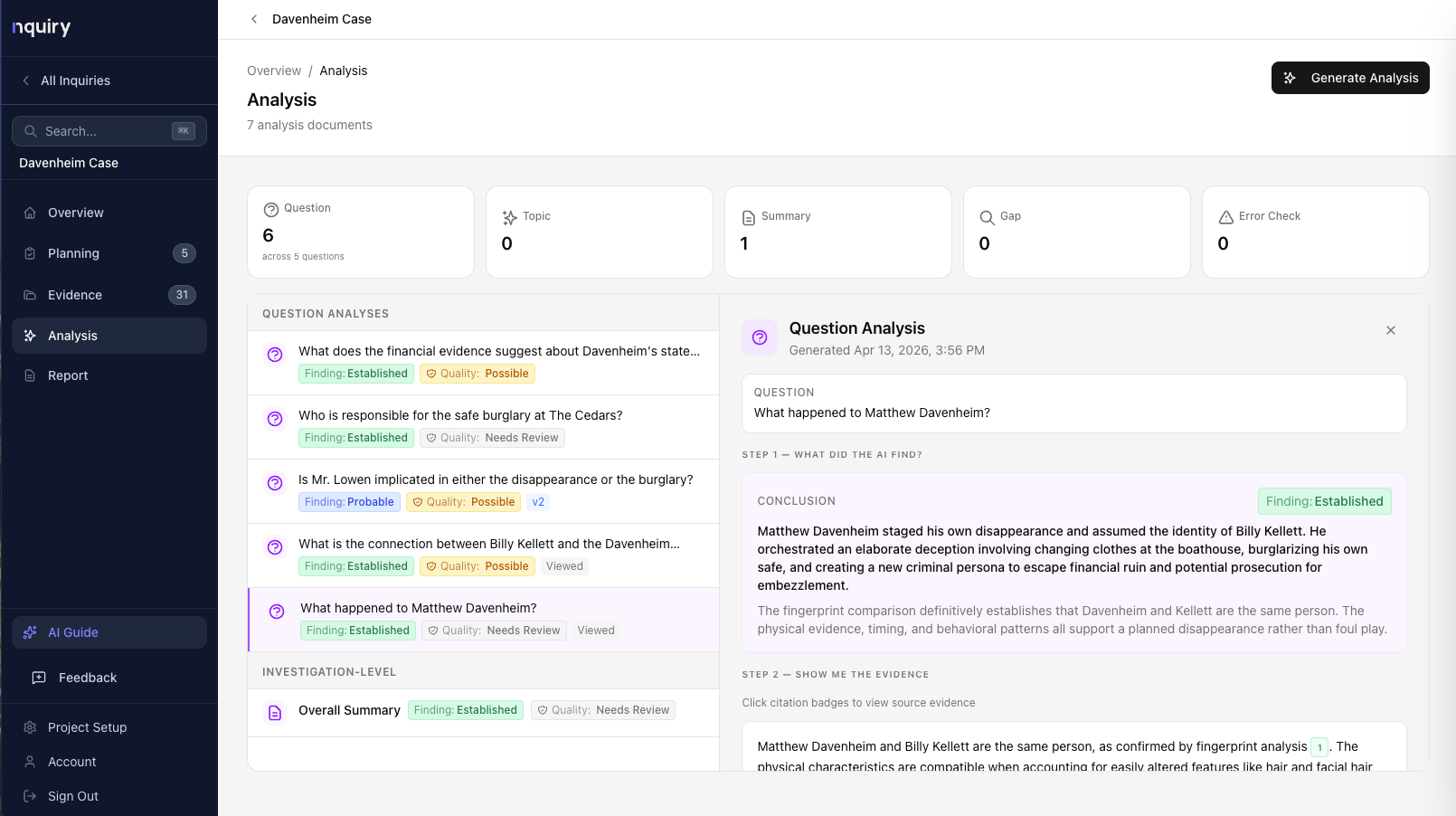
What your AI partner does
- Searches all 30 evidence items at once when you ask a question
- Evaluates every piece of evidence against ten professional quality criteria
- Produces findings with citations — every claim traced back to specific evidence
- Checks its own work — faithfulness and coverage scores tell you how much weight to put on each analysis
- Flags what’s missing — gap analysis identifies where your evidence is thin
- Shows you everything it considered — full transparency into which passages were retrieved
What your AI partner doesn't do
- Make the calls. You agree, disagree, or ask for more.
- Replace your judgment. The AI applies a framework. You apply professional expertise.
- Guarantee the answer. The AI tells you how confident it is and why. You decide if that’s enough.
Step by Step
Five minutes to your first analysis.
Download the evidence pack
Start here. The pack is a zip file with 30 evidence items, a case briefing (background material), the five investigation questions, and the evidence evaluation standard. You’ll need this before creating your account.
Download Evidence Pack (49 KB)Create a new investigation
Give it a name (we suggest “The Disappearance of Mr. Davenheim”), set the work type, and write a focus statement.
Load the case briefing
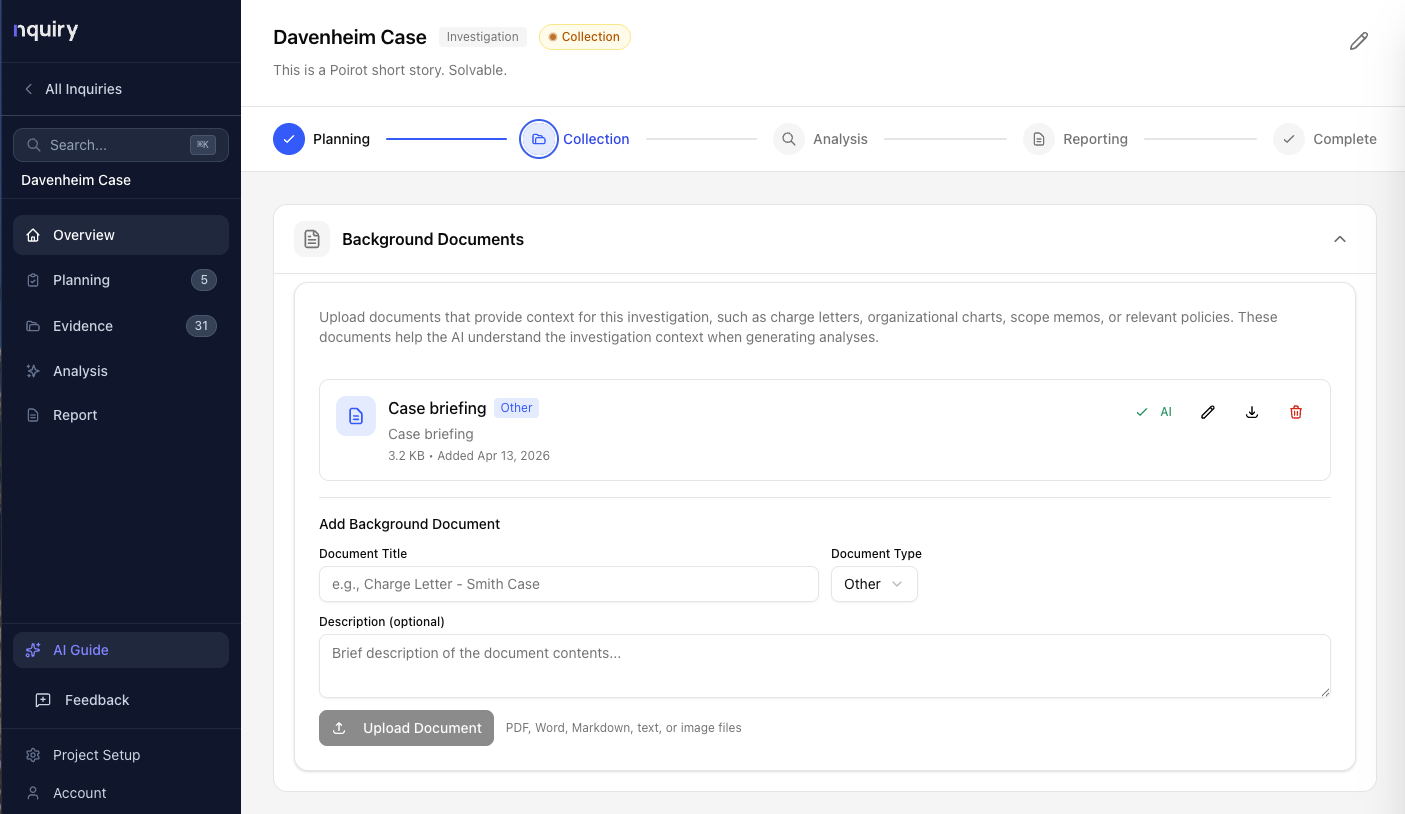
Upload case-briefing.md as a background document. This gives the AI the context it needs.
Enter the investigation questions
Five questions are provided in the evidence pack. Enter them and organize them under topics.
Bulk upload the evidence
Drag the 30 evidence files into Nquiry’s evidence upload. Bulk upload accepts up to 20 files at a time, so upload in two batches (20, then 10). The system processes them automatically.
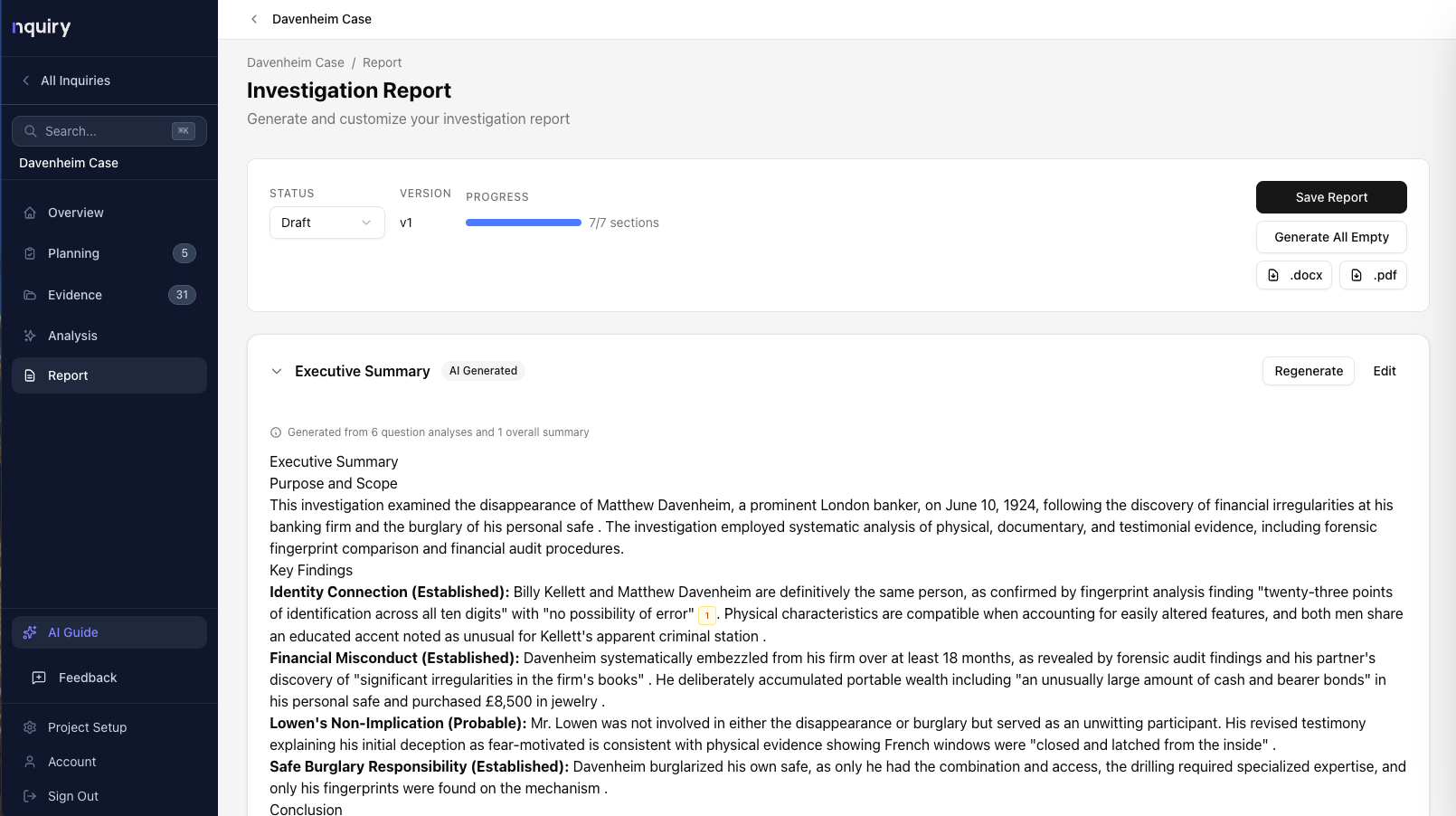
Run your first analysis
Pick a question. Generate analysis. Review what the AI found. Check the citations. Record your judgment. You’re investigating.
The AI Guide is available the entire time. If you get stuck, ask it. “What should I do next?” “How do I link evidence to a question?” “What does the faithfulness score mean?” It knows where you are and what you're working on.
What to Expect
Solving the case — with evidence.
This section contains hints about what a strong analysis should find. Want to try the case cold first?
Your move.
Poirot solved the Davenheim case from his armchair with nothing but a newspaper and his instincts. You have 30 pieces of evidence, a professional evaluation framework, and an AI partner that never misses a passage.